1. The status: not available in Singapore
As of October 2026, Muse is available in the United States and Canada only. The United States launched on September 8, 2026 and Canada followed on September 18, 2026. Singapore is not on the list, and Meta has not announced a date for a launch in Singapore. Anyone who gives you a launch date for Singapore is guessing, because Meta has not published one.
We track the status every day. The full list of Muse available countries records every launch as it happens, and this page flips the day Singapore joins it. Everything below is what you can do about it today.
2. Still want in? Pick your path
Pick the guide that matches your device. Each one is complete on its own page.
On a laptop
The VPN method on a computer. Get a free invite code, connect to a US server, create your account, redeem the code.
Read the laptop guideOn an iPhone
The second Apple ID method that unlocks the US App Store, then a US VPN makes the app work.
Read the iPhone guide3. What you can do today, launch or no launch
Three things are worth doing now, while the launch is still ahead of us.
- Join the waitlist for Singapore. Tell us the country you are waiting from, and you get an email the day Muse launches in Singapore, with a fresh invite code ready to redeem. That is the whole point of the list: launch day belongs to the people who were ready before it.
- Have a referral code ready. A code is redeemed inside Settings in the first 48 hours after you join, so launch day is the wrong day to go looking for one. Read how referral codes work and where to get one now, and take a code from the community pool when you are ready.
- Learn what Muse actually does. Spend the wait on the useful reading: what Meta Muse is and what it can do, and how Muse tokens work. When your account opens, your first day goes to using it, not figuring it out.
4. What does not work, so you do not waste time
- Signing up directly and expecting it to work. The signup stops at a screen that says Muse is not available in your country or region yet. That screen is the region check doing its job, not a bug. Refreshing it, or starting over, changes nothing.
- Doing everything in a phone browser. The signup does not complete on a mobile browser. Use a computer for the laptop method.
- Sharing a phone VPN over a hotspot. The VPN on your phone does not extend to the devices on its hotspot. Install the VPN on the computer itself.
- Trying to pass age verification. It does not work as a way in from outside the US. Do not waste an evening on it.
- Changing the IP in your wifi settings. That number is only for your home network. It does not change your visible location. The VPN handles that.
5. Once you are in: turn this setting off
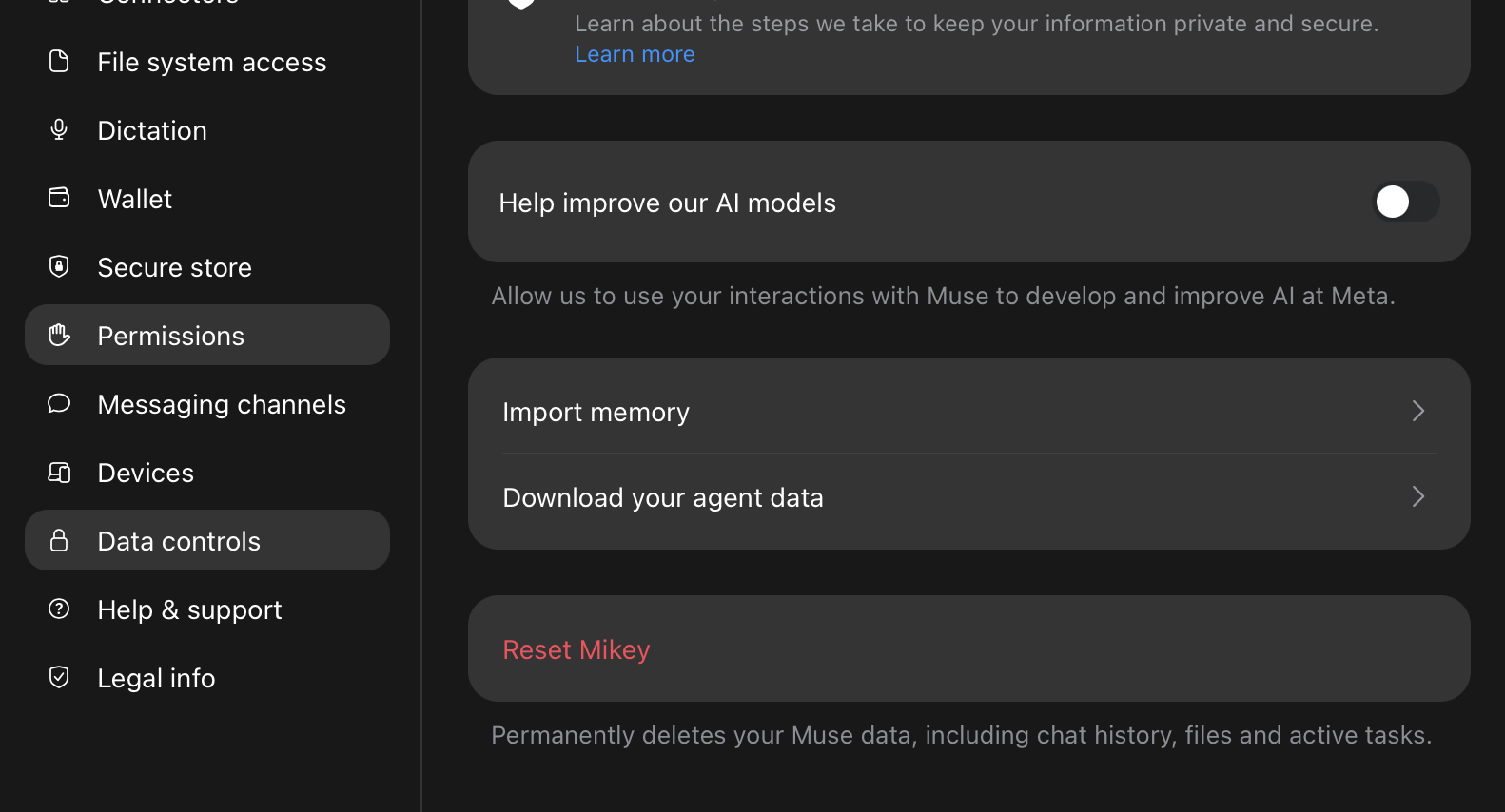
Do this before anything else. Open the Muse app, go to Settings, then Data controls, and turn off Help improve our AI models. That switch controls whether Meta may use your chats to train future models.
One caution: you are using Muse from a country where it has not launched. If Meta ever reviews your account and sees the mismatch, the account can get flagged or banned. Turning this off does not hide your location, but it keeps your chats out of their training data.
6. Rather wait for the official launch?
Fair choice. Join the waitlist and you will get a fresh invite code the day Muse launches in Singapore. No setup, no workarounds, and the code arrives exactly when you can use it.
Get started
Built something with Muse? Be one of the first to publish your Muse workflow here. Share what you built and become the person people follow.
Explore workflows Publish a workflowWaiting for the official launch? Join the waitlist.
Frequently asked questions
- Is Muse available in Singapore?
- Not yet. As of October 2026, Muse is available in the United States and Canada only. The United States launched on September 8, 2026 and Canada on September 18, 2026, and Meta has not announced a date for Singapore.
- When will Muse launch in Singapore?
- Nobody outside Meta knows. Meta has not announced a date for Singapore, and anyone naming one is guessing. Join the waitlist on this page and you will get an email, with a fresh invite code, the day Muse launches in Singapore.
- How can I use Muse in Singapore today?
- Pick your path on this page: the laptop guide walks through the VPN method on a computer, and the iPhone guide walks through the second Apple ID method. You will need a free invite code from the community pool, redeemed in Settings within 48 hours of joining.
- Why does Muse say it is not available in my country when I sign up from Singapore?
- That message is the region check. Muse accounts are limited to launched countries for now, so a signup started from Singapore stops at that screen. It is not a bug and it is not your account. The workarounds on this page exist because of that wall, and the waitlist exists for the day it comes down.
- Can I use the Muse app on iPhone in Singapore?
- Yes, with the workaround. The iPhone install guide walks through the second Apple ID method for users outside launch countries.
- Which privacy setting should I turn off?
- In the Muse app, go to Settings, then Data controls, and turn off Help improve our AI models. That switch controls whether Meta may use your chats to train future models. Caution: using Muse from a country where it has not launched can get your account flagged or banned if Meta reviews it, and turning this off does not hide your location.
Built with Muse is an independent community project. Not affiliated with or endorsed by Meta.